
Reconciling with your bank
To reconcile an account is to check it against the statement of your bank: each entry of the statement should be in DovleEntry, on the same date, for the same amount, and the balances should agree. Each entry you have checked is marked as reconciled, so that next time you start where you left off.
Reconciling an account
- Open the tab of the account, and choose a date range that covers the statement.
- Click Reconciliation at the right of the buttons above the table, or press Ctrl+Shift+R. A box appears in front of each entry.
- Go through the statement. For each of its entries, find the same one in DovleEntry, correct it if it differs, and check its box. Several at once: select them and press Space or Ctrl+R.
- When the statement is done, click Reconciliation again.
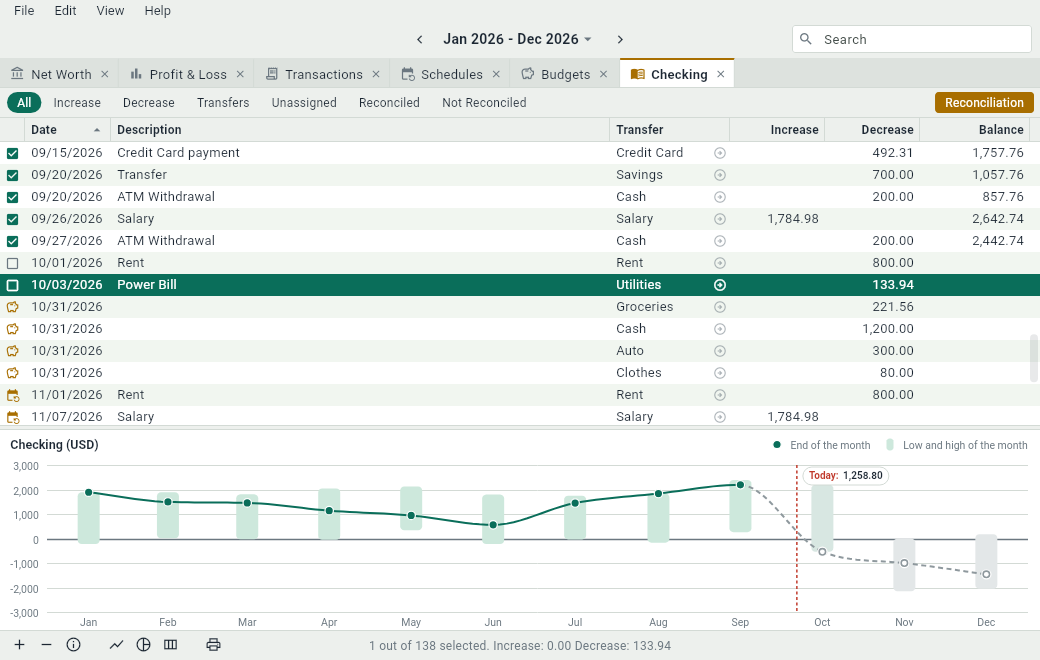
While you reconcile, the Balance column gives the reconciled balance: what the entries checked so far add up to. It should follow the balance of the statement; when the two disagree, the entry you just checked is where to look. Out of reconciliation, the reconciled entries have the mark.
Only assets and liabilities can be reconciled: income and expenses have no statement.
The date on the statement
The bank often records an entry a day or two after you made it. To keep its date, show the Reconciliation Date column with . When you reconcile an entry, its reconciliation date is its own date; change it to the one on the statement. Giving a reconciliation date to an entry that isn’t reconciled reconciles it.
In reconciliation, the reconciled balance follows the order of the reconciliation dates. If they differ from the dates of the entries, sort the table by Reconciliation Date so that the balance reads in order.
What reconciling changes
- An occurrence of a schedule that you reconcile becomes an ordinary transaction: it has happened.
- An account with reconciled entries keeps its currency: to change it, un-reconcile them first.
- When you import a file into an existing account, the entries you have reconciled aren’t offered for matching: they are already checked. An entry of an OFX file that is one of them comes unchecked, so that it isn’t imported again.